
TikTok Analytics Not Updating or Showing 0? How to Fix It
Updated 21 Oct 2026
TikTok analytics that aren't updating or show 0 are almost always one of four things: the data hasn't been processed yet, the date range leaves the post out, the post isn't public, or the account has no public post at all. Work through the checks below in order; most cases are solved by the first two.
Why are my TikTok analytics not updating?
Your TikTok analytics are not updating because TikTok hasn't processed the newest numbers yet. TikTok doesn't publish an exact refresh time, so a post can show views on the video itself while Analytics still shows older numbers. Our rule of thumb: wait about a day before you treat it as a fault.
Why do my TikTok analytics show 0?
Your TikTok analytics show 0 when TikTok has nothing it can count for that view yet. Use this table to find the likely cause:
| What you see | Likely cause | What to do |
|---|---|---|
| Fresh post shows 0 in Analytics but views on the video | Processing delay | Wait about a day, then re-check |
| Whole dashboard shows 0 | Date range doesn't include your posts | Change the date range to cover the post date |
| Analytics tab is missing or empty | No public post on the account | Publish at least one public post |
| One post stays at 0 | Post is private, Friends-only or under review | Check the post's privacy and status |
Do I need a Business or Creator account to see TikTok analytics?
You don't need a Business or Creator account to see TikTok analytics. TikTok's Help Center says Personal accounts have analytics too, with one condition: "you must have at least one public post to access analytics" (TikTok Help: Personal and Business accounts, checked 20 Oct 2026). If every post on the account is private, the analytics stay empty.
How do I fix TikTok analytics that aren't updating?
You fix TikTok analytics that aren't updating by ruling out the simple causes first. Go through this checklist:
- Wait about a day. Give a fresh post time before you judge its numbers.
- Check the date range. In TikTok Studio → Analytics, make sure the range includes the day you posted.
- Check the post's privacy. Private and Friends-only posts don't count like public ones.
- Check the post's status. A post under review or restricted can sit at 0.
- Update the TikTok app and log out and back in, so you're not looking at cached screens.
- Compare desktop and app. Open TikTok Studio on desktop; if it shows numbers the app doesn't, it's a display issue, not lost data.
- Report it to TikTok (Settings and privacy → Report a problem) if nothing moves after a few days.
Where do I find TikTok analytics?
You find TikTok analytics in TikTok Studio under Analytics. The Overview tab shows post views, profile views, likes, comments and shares for the date range you pick (TikTok Creator Academy: Introducing TikTok analytics, checked 20 Oct 2026). For one post, open the Content tab and tap it to see its retention rate and traffic sources (TikTok Creator Academy: Using analytics as a tool to improve video performance, checked 20 Oct 2026).
If you're unsure what a label means, our guide "What “Other” and “Personal Profile” Mean in TikTok Analytics" explains each one.
Is it a data problem or a reach problem?
It's a data problem if the video itself shows views but Analytics doesn't; it's a reach problem if both show low numbers. The fixes are different. A data problem fixes itself once TikTok processes the numbers. A reach problem needs content changes: hook, length, topic and posting rhythm. Our guide Why did my TikTok views drop? 9 reasons to check covers the reach side.
How do I check this in Viralflicks?
In Viralflicks you check your TikTok numbers next to YouTube and Instagram in one dashboard. Viralflicks reads what TikTok shares, so it can't make TikTok process data faster, but it helps you see whether one post or the whole account is off.
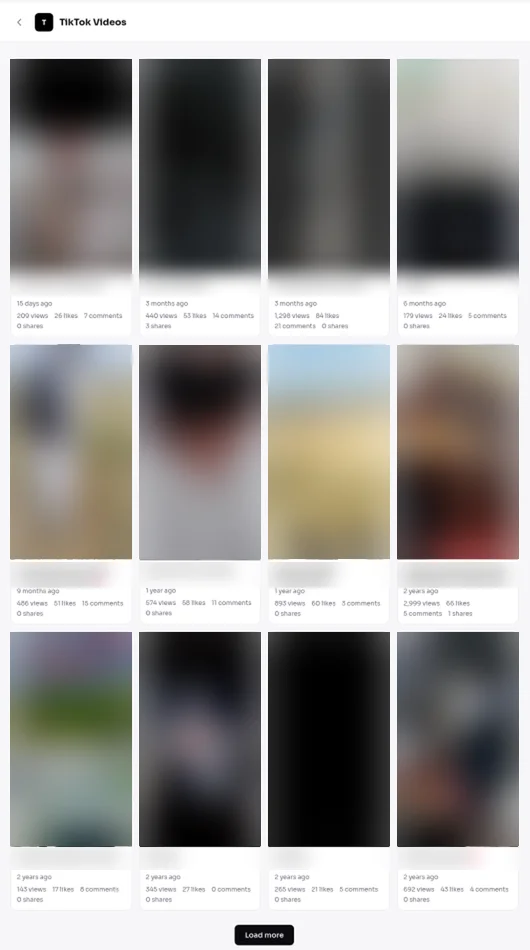
- TikTok: your profile, followers and a video list with per-video views, likes, comments and shares.
- History: 28 to 90 days, so you can compare a stuck post with your earlier ones.
- AI Advisor: ask "check my videos" or "why did this flop". It won't invent numbers: if a channel isn't connected or is still syncing, it says so. Each answer shows a basis line with what it's based on.
To set it up, follow How to connect TikTok analytics to Viralflicks. For a wider tour, read TikTok analytics for creators — without the guesswork and Track TikTok, Instagram & YouTube analytics in one place.
See all your numbers in one place
Connect TikTok, YouTube and Instagram in one dashboard. The Free plan connects up to 3 channels.
By Hanif Jadoon, Head of Growth & SEO · Updated 21 Oct 2026
Frequently asked questions
TikTok doesn't publish an exact refresh time. Our rule of thumb: wait about a day before treating a 0 on a fresh post as a real problem, because numbers can lag.
TikTok analytics show 0 views when the data hasn't been processed yet, the date range excludes the post, the post is private or under review, or the account has no public post.
No. TikTok says Personal accounts get analytics too, as long as the account has at least one public post.
No. Viralflicks reads the numbers TikTok shares, so it can't make TikTok process data faster. It does show your TikTok per-video views next to YouTube and Instagram, and the AI Advisor says so when a channel is still syncing instead of inventing numbers.
See it in Viralflicks
Connect a channel, open Analytics, and ask the AI Advisor what to do next.